Miscellaneous Model Functions
This page highlights select POMATO functionality not explicitly part of Running POMATO.
Save/Load Results
POMATO provides functionality to analyse model results after a successful model run. However, it also allows to save results to specifc folder and load previously obtained results to write scrips that allow to replicate result analysis.
The method pomato.data.Results.save() allows to save results to a specified folder, so with
the following code all currently instantiated results can be saved to individual folders (named by
the result title) :
result_dir = mato.wdir.joinpath("saved_results")
result_dir.mkdir()
for result in mato.data.results.values():
    folder = result_dir.joinpath(result.result_attributes["title"])
    result.save(folder)
Once saved can be re-instantiated into a pomato instance with the following syntax:
result_dir = mato.wdir.joinpath("saved_results")
folders = [folder for folder in result_dir.iterdir() if folder.is_dir()]
mato_2020.initialize_market_results(folders)
Note that the loaded dataset has to coincide with the one that was used to generate the results. Since many results, like the generation schedule (i.e. decision variable G) will be merged to the plant table when reading/instantiating the result.
The Dashboard
With results instantiated, a webapp implemend in Plotly/Dash can be created and run.
This can be done by running the following code:
pomato_dashboard = pomato.visualization.Dashboard(mato)
options = {"debug": False, "use_reloader": False, "port": "8050", "host": "0.0.0.0"}
pomato_dashboard.app.run_server(**options)
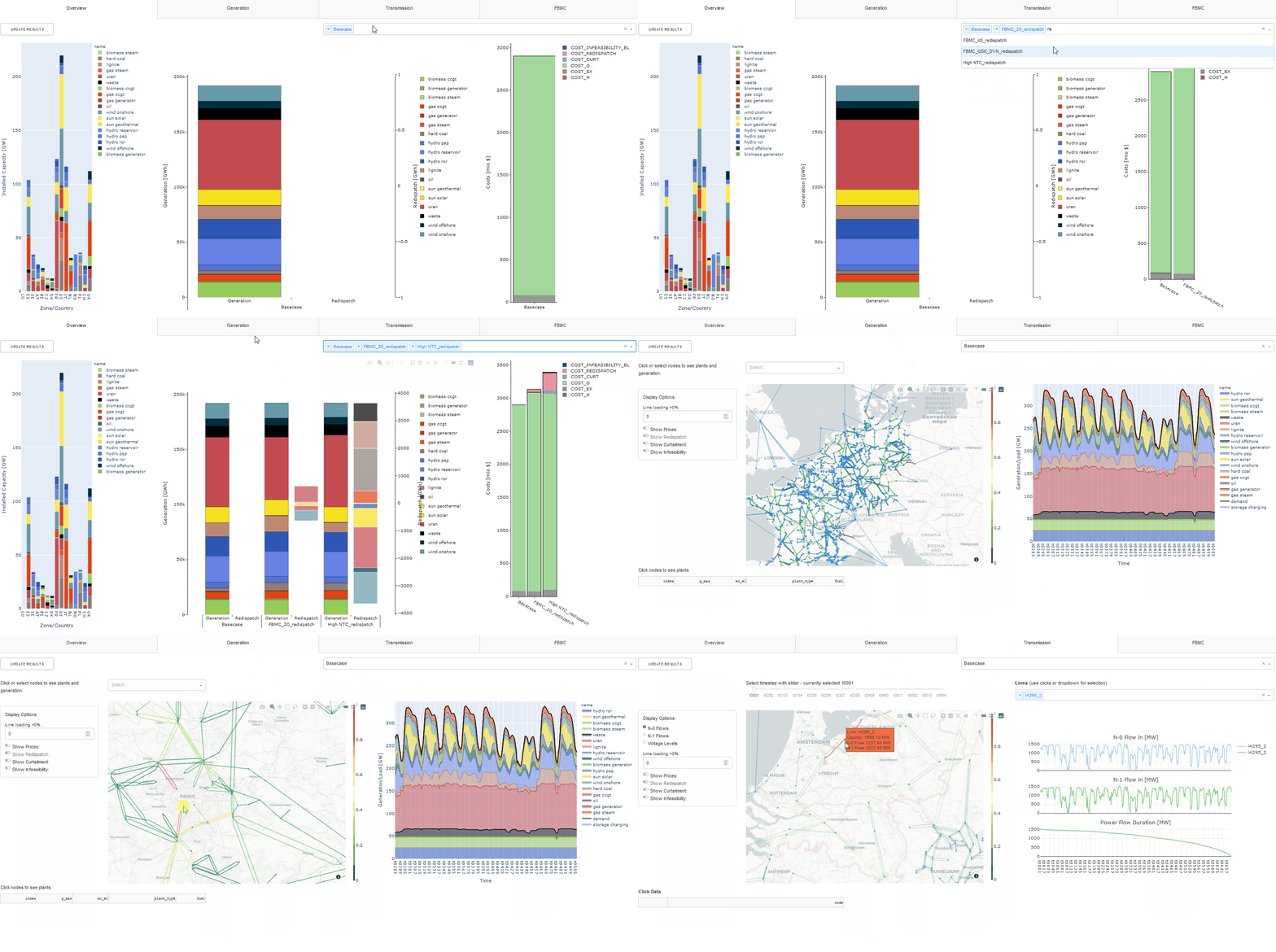
This will run a webserver that serves the Dashboard on localhost:8050 which can be viewed through any browser and should look something like this:
Running the Dashboard will block any interaction with the console/process and has to be manually
terminated. However, mato.start_dashboard(**options) can start the Dashboard in a separate
thread, thereby allowing continuated interaction with the main (pomato) thread. Note, that the new
thread has to be joined via mato.stop_dashboard(). If not explicitly joined, the thread
remains active until closed or terminated, e.g. via the task manager.